
| CONTENTS | GLOSSARY | SEARCH DOCUMENTATION |
User-specific preferences can be specified by selecting Edit | Preferences. At startup, PROPACEOS loads data from the preferences file.
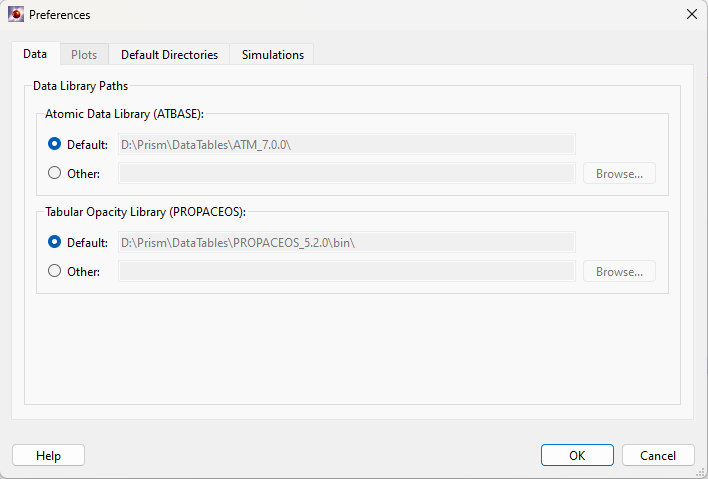
Preferences can be used to set up the default directories containing ATBASE atomic data.
When selecting the "Default" button, PROPACEOS utilizes the directory specified on the 'Default Directories' tab. An alternative directory may be specified by clicking the 'other' button and entering a directory or browsing for one using the 'Browse' button.
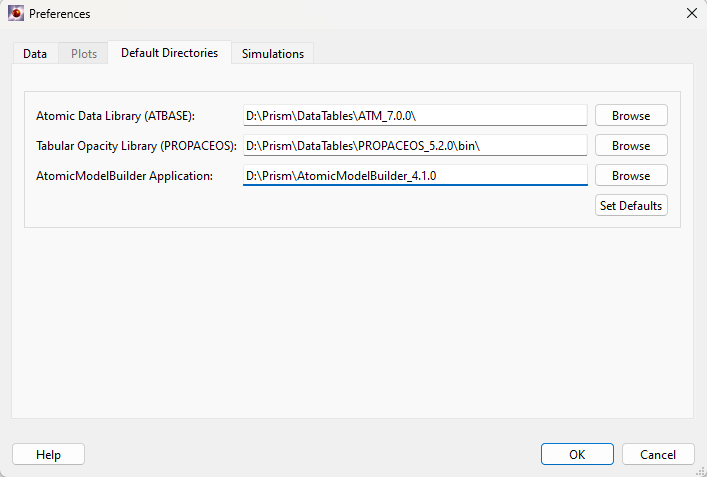
When the application is run for the first time, default directories for the atomic data and the path to the AtomicModelBuilder application are set by assuming the default Prism directory structure (on Windows, they are instead set by environment variables, e.g. PCS_ATBASEDATA_DIR, if they exist). These values should only need changing:
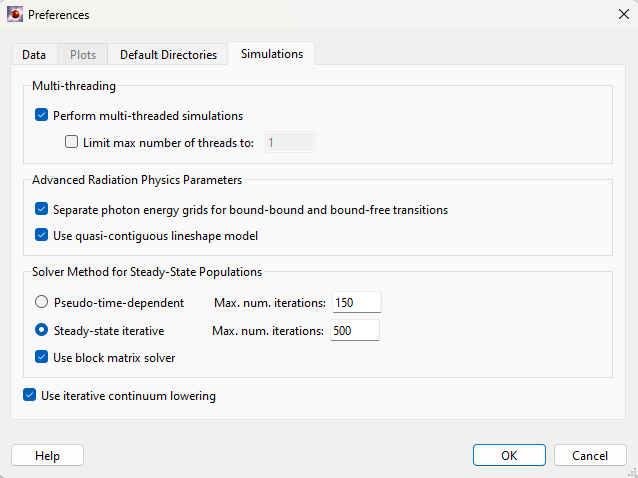
To use parallel processing over frequency points, check the Perform multi-threaded simulations check box. Parallelization is performed when computing opacities. The number of processors to use can be limited by clicking in the Limit max number of threads to: check box and entering a value in the edit box. If the number of processors entered is more than is available, all the available processors will be used. The magnitude of the speedup obtained with parallel processing will vary depending on the nature of the calculation, the operating system being used and the number of processors available.
Separate photon energy grids for bound-bound and bound-free transitions: for atomic rate calculations, using separate photon energy grids for bound-bound (bb) vs. bound-free (bf) transitions can significantly improve calculation speed, e.g. if there are many more bb transitions than bf transitions.
Use quasi-contiguous lineshapes model: uses Stark broadening models were implemented based on the semi-empirical approach detailed in Gu and Beirsdorfer (Phys. Rev. A, 101, 032501). Un-checking will revert to the old Stark broadening model. For more information on the models please refer to a appendix in the documentation titled "Stark Broadening Models in Prism Codes".
Solver Method for Steady-State Populations: if "Pseudo-time-dependent" is selected, the steady state solution of statistical equilibrium is obtained by a time-dependent solver to let the system of ordinary differential equations evolve until equilibrium is reached. If "Steady-state iterative" is selected, a true steady state solution is obtained in each iteration for a given set of collisional and radiative rates. The "Steady-state iterative" solver is more efficient for a broad range of problems because it often requires fewer iterations to converge, and needs less time per iteration.
Use block matrix solver: applies only if "Steady-state iterative" is selected for the populations solver. This is a custom designed linear equations solver grouping a larger number of atomic levels in a smaller number of blocks. Each block typically consists of one ionization stage. The solution to the original system of linear equations is obtained iteratively by solving the populations of blocks. Once the block populations are known, the smaller system of equations for individual levels in each block are solved one block at a time. The iteration continues until the solution of all levels and blocks reaches self-consistency.
Use iterative continuum lowering: continuum lowering and level population are inter-dependent. Versions prior to Spect3D 20.5.0 compute the continuum lowering parameters, such as occupation probabilities and ionization potential depression, using the LTE population assuming no continuum lowering. The Iterative procedure makes the continuum lowering and level populations self consistent.
| Copyright © 2024 Prism Computational Sciences, Inc. | PROPACEOS 10.0.0 |