
| CONTENTS | GLOSSARY | SEARCH DOCUMENTATION |
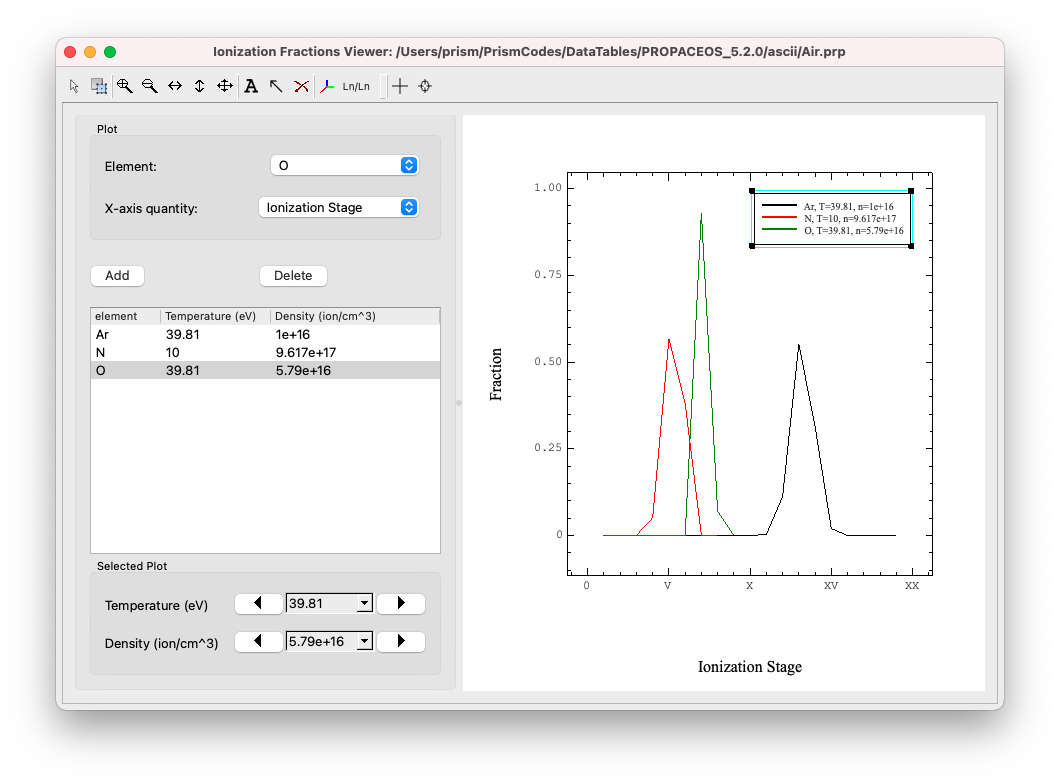
To view the ionization fractions of different species, either press the Ion Fractions button on the left side of the Main Window or select the Display | Ion Fractions Data menu item.
For a given element, three differnet x-axis quantities can be displayed
I.e., when one of these three quantities is chosen as the displayed x quantity, the other two will be used as fixed values per line set by the comboboxes below the tree widget
Data can be shown in the plot by utilizing the Add button and data can be removed from the graph using the Delete button. Note if a dataset is deleted using the Graphics Layer Controller it will be removed from the graph but not the Ionizaton Fractions tree widget.
| Copyright © 2024 Prism Computational Sciences, Inc. | PROPACEOS 10.0.0 |